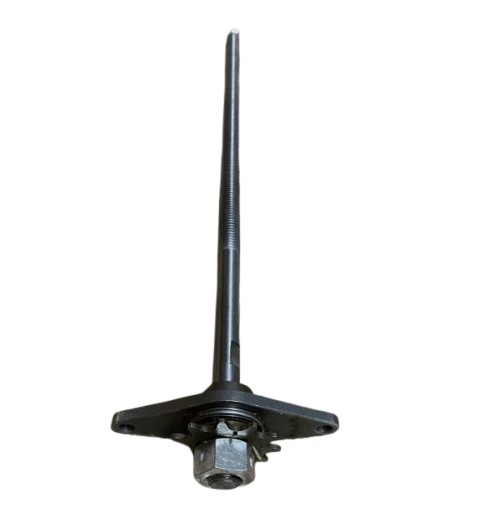

General Electric WC16X20820 Trash Compactor Power Screw Kit
Description
Step1: Unplug the compactor and remove the front panel access cover before starting installation.
Step2: Ensure power is off and disconnect the breaker to avoid injury.
Step3: Remove old power screw assembly from mounting bracket.
Step4: Align the new screw kit with the drive mechanism.
Step5: Secure screws and tighten mounting hardware evenly.
Step6: Reattach the panel and ensure proper alignment carefully.
Step7: Restore power and test the compactor cycle safely.
-
What maintenance is required for the General Electric WC16X20820 Power Screw Kit?
Regularly inspect the power screw for debris and buildup, lubricate moving parts with a suitable grease, and tighten any loose components. Proper maintenance ensures smooth operation, prevents jams, and maintains safety during handling.
-
What are common issues with the General Electric WC16X20820 Power Screw Kit?
- Power screw binding or jamming.
- Excessive noise during operation.
- Uneven compaction pressure.
- Stripped threads affecting movement.
Customer Reviews
No reviews yet. Be the first to write one!
Write a Review
We strive to provide our customers with a hassle-free and efficient shopping experience. Our shipping policy ensures the timely delivery of your orders and complete customer satisfaction. View More
We are committed to ensuring your complete satisfaction with every purchase. We understand that circumstances may arise where you must return a product or request a refund. If for any reason you are not satisfied, you may return the item(s) according to the terms outlined below. View More
This Payment Policy outlines the terms and conditions governing all payments made for products purchased through our website. By making a purchase, you agree to be bound by this Payment Policy. View More