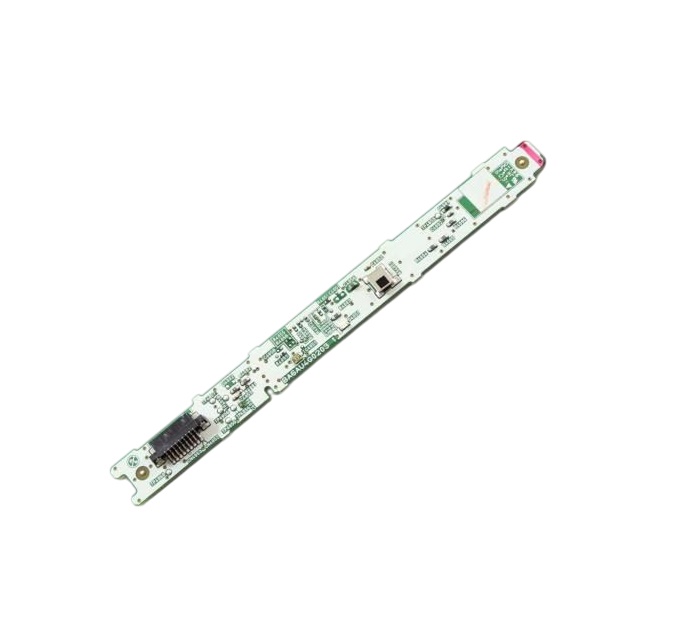

Funai A6AU4MSW-001 TV MSW PCB Unit
Description
Step1: Unplug the TV and remove the rear cover carefully before servicing.
Step2: Disconnect all cables from the old MSW PCB Unit, noting their positions.
Step3: Remove the mounting screws and lift out the old board.
Step4: Install the new MSW PCB Unit and secure it with the screws.
Step5: Reconnect all cables, reinstall the rear cover, and power on the TV to verify proper operation.
-
What maintenance is required for the Funai A6AU4MSW-001 MSW PCB Unit?
Inspect the PCB unit periodically for dust accumulation, loose connectors, or signs of heat damage around electronic components. Ensure adequate ventilation within the component to prevent overheating and maintain stable circuit operation. Disconnect power before servicing, and use proper anti-static handling procedures to protect the board from electrostatic discharge damage.
-
What are common issues with the Funai A6AU4MSW-001 MSW PCB Unit?
- No power or intermittent startup issues.
- Signal processing errors causing no display.
- Unresponsive TV controls or remote functions.
- Overheating leading to sudden shutdowns.
- Faulty connections or damaged circuit components.
Customer Reviews
No reviews yet. Be the first to write one!
Write a Review
We strive to provide our customers with a hassle-free and efficient shopping experience. Our shipping policy ensures the timely delivery of your orders and complete customer satisfaction. View More
We are committed to ensuring your complete satisfaction with every purchase. We understand that circumstances may arise where you must return a product or request a refund. If for any reason you are not satisfied, you may return the item(s) according to the terms outlined below. View More
This Payment Policy outlines the terms and conditions governing all payments made for products purchased through our website. By making a purchase, you agree to be bound by this Payment Policy. View More